HL7 FHIR R4 (Fast Healthcare Interoperability Resources) has become the HL7 standard for modern healthcare API development. As the first normative release of FHIR, R4 provides a stable foundation for building interoperable healthcare applications. And it’s the version US regulators mandate, so it’s where production work happens even as R5 and R6 mature (here’s how the versions compare). This guide covers the practical decisions of shipping R4 in production: choosing resources and profiles, SMART on FHIR launch flows, Bulk Data export, and the pitfalls that trip up real integrations, based on our experience delivering FHIR API integrations.
What a FHIR Implementation Guide Is
“FHIR implementation guide” means two things, and it helps to separate them before reading on.
In the standard, an Implementation Guide (IG) is a formal, published artifact: a package of profiles that constrain base resources, extensions for data the base resource lacks, value sets that pin down which codes are allowed, a CapabilityStatement that declares what a conformant server supports, and worked examples. US Core is an IG. So are the International Patient Summary (IPS), the Da Vinci payer guides, and the CARIN Blue Button guide. A server “implements” an IG by conforming to those profiles, and a client reads the IG to learn what it can rely on being present.
This page is the other sense: a working guide to implementing FHIR R4, from choosing the profiles to validating what ships. Where it refers to a formal IG, it links to the profile itself so the constraint can be read rather than paraphrased.
How to Implement FHIR R4, Step by Step
The sections below follow the order the work happens in:
- Choose the resources and the profiles that constrain them. For US healthcare that is US Core, and the CapabilityStatement is written against it.
- Put SMART on FHIR in front of the API. Pick the launch modes you need (EHR launch, standalone, backend services) and the scopes each one gets.
- Design search and versioning before the first client ships. Which search parameters, which
_includes, how history is exposed. - Add Bulk Data export if anything reads populations.
$exportis a job, not a query, and it changes the server’s shape. - Avoid the pitfalls that show up in review. Reference integrity, extension misuse, and the cardinality traps that pass the validator and fail in production.
- Validate against the profiles you claim. The validator, Inferno for the certification criteria, and real-data conformance.
FHIR R4 Overview: Resources and Profiles
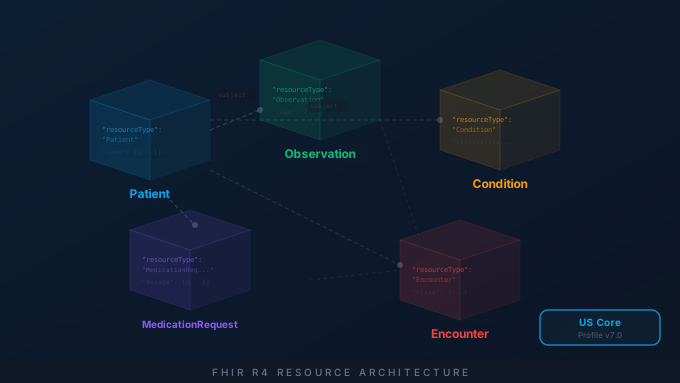
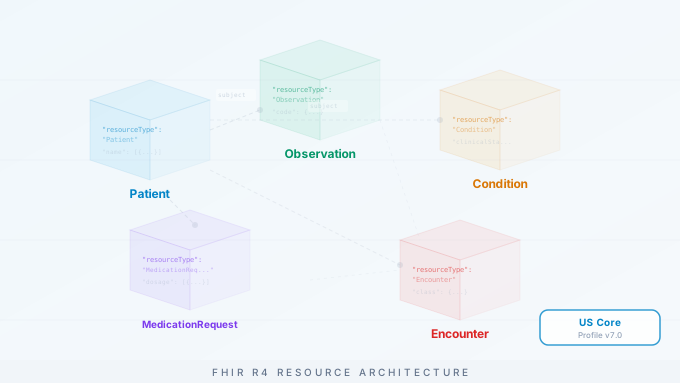
FHIR organizes healthcare data into resources: standardized data structures that represent clinical and administrative concepts. The most commonly used resources include:
Clinical Resources:
- Patient - Demographics and administrative information
- Observation - Lab results, vital signs, assessments
- Condition - Diagnoses, problems, health concerns
- MedicationRequest - Prescription orders
- Procedure - Actions performed on patients
Administrative Resources:
- Organization - Healthcare facilities and entities
- Practitioner - Healthcare providers
- Encounter - Patient visits and admissions
- Coverage - Insurance information
When implementing FHIR, start with the US Core Implementation Guide profiles (currently US Core v9.0.0, aligned with USCDI v6). These constrain base FHIR resources to meet US regulatory requirements and ensure compatibility with other certified systems.
R4 isn’t just a popular choice. It’s the one US regulation points at. ONC’s HTI-1 final rule mandates the US Core IG (R4) and SMART App Launch for the §170.315(g)(10) “Standardized API for Patient and Population Services” certification criterion, with Inferno as the conformance test tool. On the payer side, the CMS Interoperability and Prior Authorization rule (CMS-0057-F) requires FHIR R4 APIs for Patient Access, Provider Access, Payer-to-Payer, and Prior Authorization, with main enforcement landing January 1, 2027. If you’re building for the US market, R4 is the floor.
SMART on FHIR Authentication
SMART on FHIR (currently SMART App Launch v2.0) provides a standardized OAuth 2.0 workflow for healthcare applications. There are two primary launch contexts:
EHR Launch: Your app is launched from within an EHR (like Epic or Cerner). The EHR passes context parameters including the patient ID and encounter.
Standalone Launch: Your app launches independently and requests patient context through a patient picker.
Both contexts converge on the same OAuth 2.0 authorization code flow: the difference is only in how the launch begins and how patient context is established. For a deeper walkthrough of scopes, the launch parameter, and token exchange, see our SMART on FHIR implementation guide.
Key implementation considerations:
- Request only the scopes your application needs
- Handle token refresh before expiration
- Store refresh tokens securely
- Implement proper error handling for authorization failures
Bulk FHIR for Population Health
The Bulk Data Access specification enables efficient export of large datasets through the $export operation. This is essential for:
- Population health analytics
- Quality measure calculation
- Data warehousing
- Research and reporting
Feature extraction for FHIR-based AI integration usually starts from the same $export job.
For research data in particular, our bulk FHIR export for research product, Clinical Extract, runs the $export job and returns analysis-ready files.
Because these are server-to-server jobs with no user present, Bulk Data is typically authorized via SMART Backend Services using system/* scopes rather than a user-facing launch. The $export operation uses asynchronous processing:
- Client initiates export with a kick-off request
- Server returns a polling URL
- Client polls until export completes
- Server provides NDJSON file URLs for download
When implementing Bulk FHIR, consider:
- Set appropriate polling intervals (start at 5 seconds, use exponential backoff, and honor the server’s
Retry-Afterheader) - Handle large file downloads efficiently with streaming
- Implement checkpointing for resumable exports
- Filter by resource type and date to minimize data transfer
Searching and Versioning Resources
Most of the day-to-day work in an R4 integration is search, and R4 gives you a rich query grammar that many teams underuse:
- Modifiers refine matching:
Patient?name:exact=Smith,Observation?code:missing=true. - Prefixes express ranges on dates and quantities:
Observation?date=ge2026-01-01&date=lt2026-04-01. _include/_revincludepull related resources in one round trip:MedicationRequest?_include=MedicationRequest:patientreturns the orders and their patients, avoiding N+1 fetches.- Chained search filters by a referenced resource:
Observation?patient.name=Smith. _countsets page size; always page through thenextlink rather than assuming one response holds everything.
Resources are also versioned. Every update increments meta.versionId and you can retrieve prior states with the history interaction (GET [base]/Patient/123/_history) or read a specific version with vread. For safe concurrent writes, use optimistic locking: send the current ETag in an If-Match header so the server rejects your update if another client changed the resource first. This prevents the lost-update problem that silently corrupts data in multi-writer environments.
Common Implementation Pitfalls
After numerous FHIR implementations, we’ve identified recurring issues:
1. Ignoring Implementation Guides Base FHIR is too flexible for interoperability. Always implement against US Core or relevant IGs for your use case.
2. Hardcoding URLs FHIR servers should be treated as HATEOAS systems. Follow links in responses rather than constructing URLs.
3. Pagination Handling
Many developers forget to handle pagination. Always check for the next link in Bundle responses and iterate through all pages.
4. Date/Time Formats FHIR uses ISO 8601 with timezone support. Ensure your parsing handles partial dates (year-only, year-month) and different timezone representations.
5. Missing Error Handling FHIR uses OperationOutcome for errors. Parse these properly to provide meaningful error messages to users.
Testing Your Implementation
Use these resources to validate your FHIR implementation:
- Inferno Testing Tool - the official ONC certification test kit for the (g)(10) Standardized API criterion and US Core compliance
- FHIR Validator - validates resources against base FHIR and your declared profiles
- Public FHIR Servers - test against HAPI FHIR and other public R4 instances
- US Core IG browser - every US Core profile, element by element, including us-core-patient and us-core-observation-lab
Start by publishing an accurate CapabilityStatement at /metadata. It declares which resources, interactions, search parameters, and profiles your server supports. Clients (and Inferno) read it to discover what you can do, so a conformance statement that lies about your capabilities is one of the fastest ways to fail certification. Validate every resource against the US Core profiles you claim, not just base FHIR. Each profile’s required elements, bindings and search parameters are browsable in the US Core IG reference, so you can check a claim against the profile rather than against memory.
Next Steps
Implementing FHIR correctly requires understanding both the specification and the practical realities of EHR integrations. If you’re planning a FHIR project, contact our team for a free assessment. We’ll review your requirements and provide a detailed implementation plan.
For more information on our FHIR capabilities, see our FHIR Integration Services. For commercial app builds (patient portals, telehealth platforms, mobile health, RPM) that consume FHIR R4 in production, see our Healthcare App Development practice.