In October 2023, researchers at Horizon3 disclosed CVE-2023-43208, a pre-authentication remote code execution flaw in Mirth Connect’s admin API affecting every version before 4.4.1. They counted about 1,200 Mirth servers reachable from the internet. CISA added the CVE to its Known Exploited Vulnerabilities catalog in May 2024, which it does only after confirming attacks in the wild.
That was three years ago. On 10 September 2026 CISA published ICSMA-26-253-01, covering three more high-severity flaws, this time in every version through 4.7.1: arbitrary SQL through the Database Connector API (CVE-2026-82583, CVSS 8.3), and XXE injection in the XSLT transformer step (CVE-2026-78224, 8.2) and the XML batch adaptor (CVE-2026-82578, 7.5). NextGen’s fix is 4.7.2.
The advisory names NextGen’s Mirth Connect. If you run a fork, do not read the version number and assume the patch reaches you. OIE forked from 4.5.2, well before 4.7.2, and it carries all three flaws: asked publicly on 14 September 2026, the project pointed to fixes in review, and merged the first of them on 22 September 2026. Ask whoever supports your distribution which build carries the fixes rather than inferring it. Our post on CISA’s 2026 Mirth Connect advisory tracks which builds do.
Those 1,200 servers were not exposed by accident. Every Mirth Connect fix starts with the same prerequisite, getting to the server, and the engine’s tooling assumes you can reach the admin port. That is a fine assumption inside the data center and a poor one from anywhere else, so every integration team ends up with a remote access story, usually improvised, usually inherited, and for some teams it is a port forward. This post compares the three stories teams run, then describes what changes when the connection runs the other way. It applies to Mirth Connect, OIE, and the other engines built on the same codebase equally, since they all ship the same desktop Administrator and the same admin port.
The three ways everyone does it
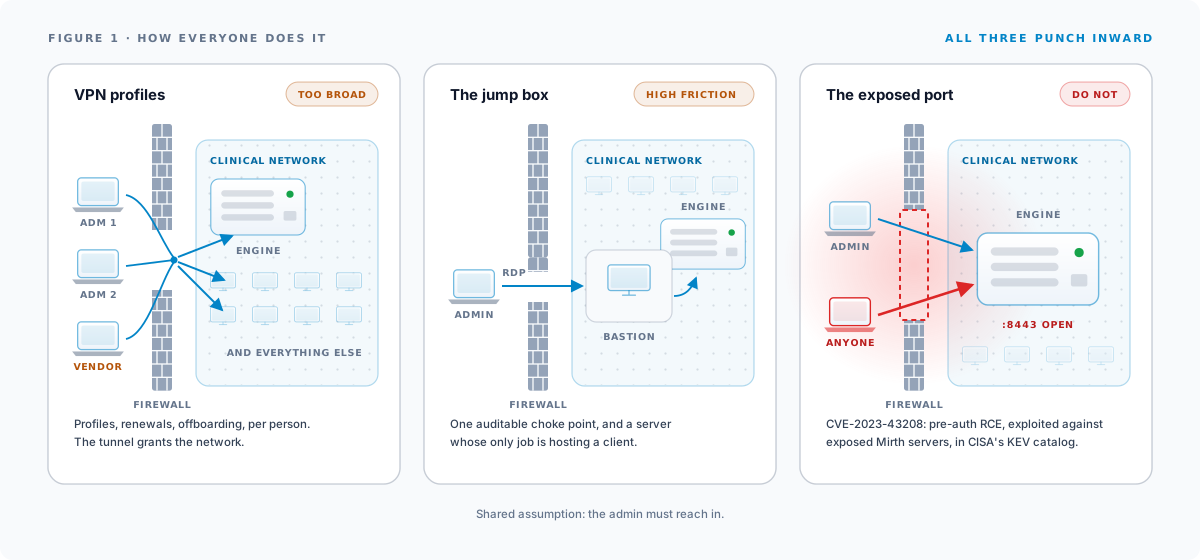
VPN profiles
The respectable default. Each admin gets a VPN profile, the tunnel lands them on the right network, and the desktop client connects as if they were local.
The costs are familiar to anyone who has lived with it. Every admin needs a provisioned profile, an installed client, and periodic certificate or credential renewals, multiplied by staff turnover. Vendors and consultants need their own profiles, which means security review, expiry dates that land mid-incident, and offboarding that relies on somebody remembering. And the tunnel grants far more than the engine. A VPN puts the remote machine on the network, where the engine is one of hundreds of reachable things. For HIPAA-covered infrastructure, a support vendor’s laptop joining the clinical network should be a harder decision than it usually is.
There is also the standing operational tax: split-tunnel policies fighting with the client, MFA prompts on every reconnect, and the permanent help-desk category of “the VPN is being weird”. None of it is a crisis. All of it is friction on every session.
The jump box
A bastion host inside the network, reached over RDP or SSH, with the Administrator installed on it. Access to the engine becomes access to a machine that has access to the engine.
This concentrates the exposure in one auditable place, which is better than sprawl. It is also a miserable way to work. A Java Swing client rendered over RDP over the internet tests your patience, copy-paste between your machine and the session is somewhere between awkward and forbidden, and the jump box itself becomes one more server to patch, size, and account for, existing only to host a client application.
The exposed port
Forward 8443, restrict it to some source IPs if discipline holds, and connect the client directly. No VPN, no jump box, no friction.
This one is a mistake rather than a trade-off, and the CVE above is why. An interface engine touches most of what matters in a hospital, and its admin surface listening on the internet is one unpatched week away from a breach report. IP allowlists soften this but decay in practice, because every new admin location becomes a firewall ticket, and the pressure is always toward loosening.
One detail shows how bad the access story has become: how many teams schedule fixes for “when I’m back in the office”. People route around the access problem, and mean-time-to-repair absorbs the cost.
Reversing the arrow
All three patterns share an assumption: the admin’s machine must reach in to the engine. Everything painful follows from that direction. Inbound reachability is what firewalls exist to prevent, so every solution is a controlled hole, and controlled holes need paperwork, hardware, and standing vigilance.
The alternative is for the engine to dial out. Outbound HTTPS-style connections are what networks are built to allow. If the engine holds an outbound connection open to a rendezvous point, an authorized admin session can ride back down that same connection, and nothing about the site’s firewall changes.
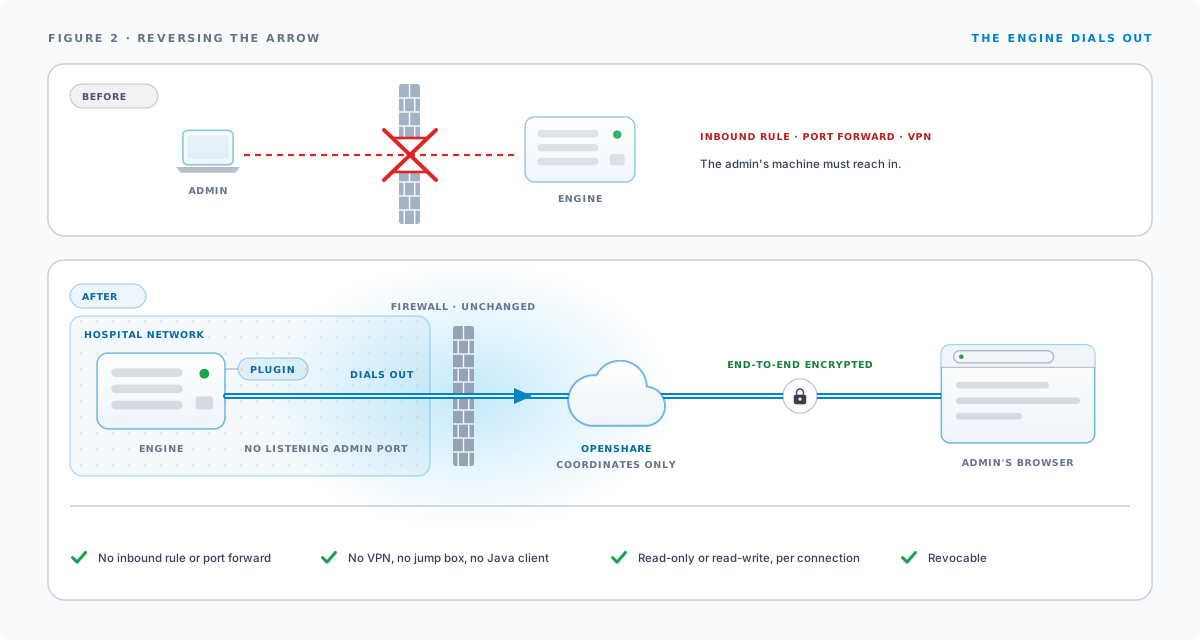
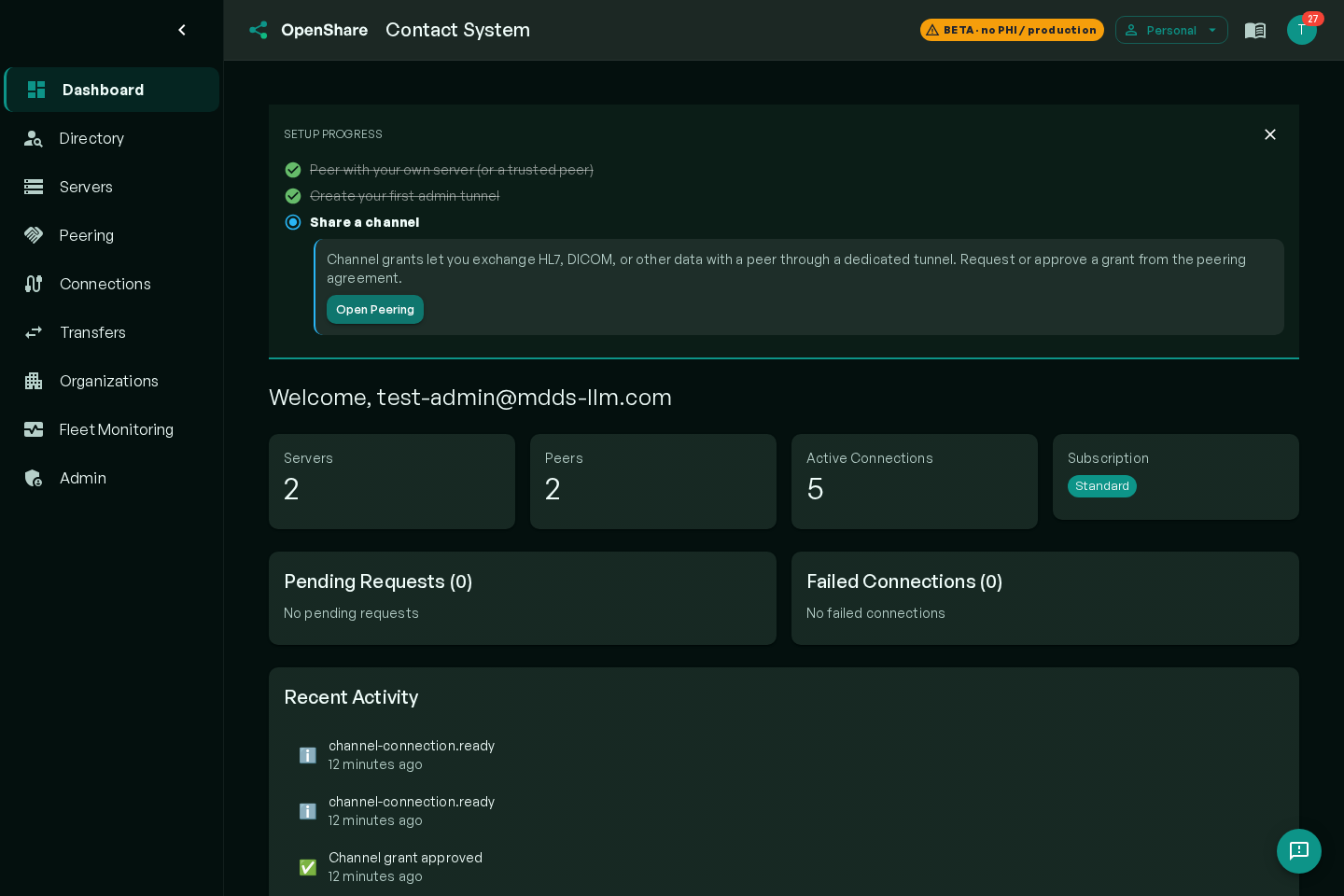
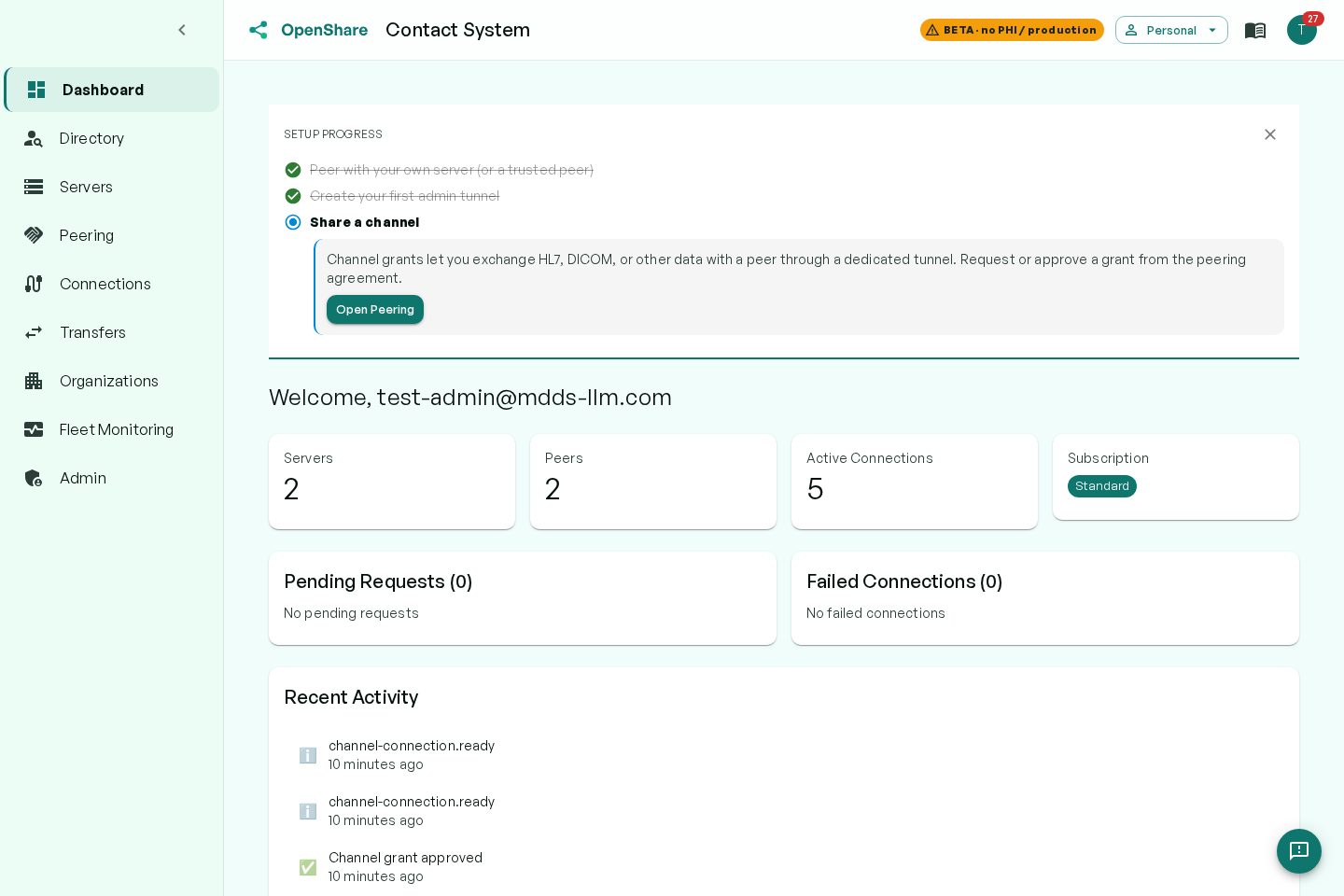
This is how OpenShare console connections work. The plugin on the engine maintains the outbound connection. Sessions are end-to-end encrypted between your browser and the server, so the platform in the middle cannot read them. The console is a browser app, so there is no Java client, no jump box, and nothing to install on the admin’s machine. The engine’s admin port never appears on the internet, because nothing ever connects inward to it.
Access control the network can’t give you
Reversing the arrow fixes reachability. The larger gains are in what a purpose-built access layer can enforce that a network path cannot.
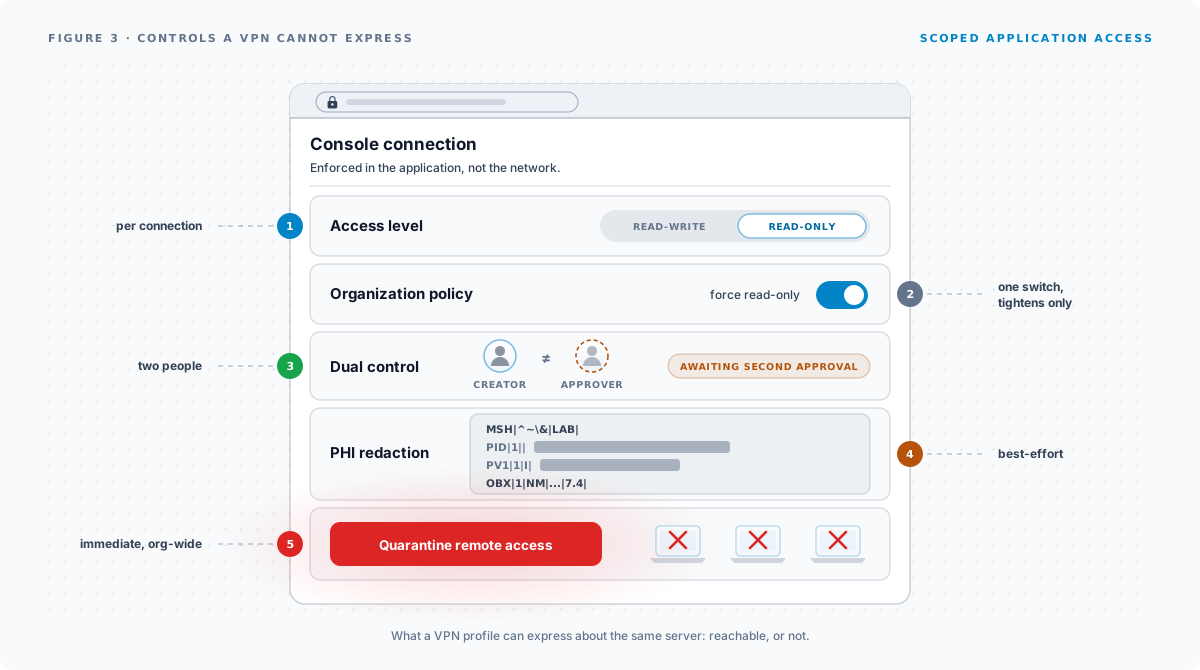
Access level per connection. Every console connection is provisioned as read-write or read-only. Read-only is enforced at the connection, so a support engineer can inspect channels, configuration, and dashboards without the ability to change anything. This is the scoped vendor access that VPNs cannot express, and it is available on every plan. The level can be changed later on the same connection without re-provisioning. The tunnel restarts to apply it, so a live session on that connection is dropped.
Organization-wide policy. An owner can set posture for every server at once: force all console access read-only, or disable admin tunnels entirely. Policy always tightens below what the plan allows, never loosens.
Dual-control approval. Where policy requires it, a new console connection cannot be used until a second authorized person approves it, and the creator cannot approve their own. Two people to open a door is a control auditors recognize on sight.
PHI redaction in the remote message browser. Remote troubleshooting usually means looking at messages, and messages are where the PHI is. Policy can require that the remote message browser blanks patient-identifying content, so a vendor can debug a mapping problem against real traffic without reading demographics. Redaction is best-effort by design and documented as such. It narrows exposure rather than certifying absence.
The emergency stop. One action, Quarantine remote access, terminates every live admin session immediately and blocks new ones org-wide. When something feels wrong late on a Friday, quarantine now and investigate Monday.
Compare that list to what a VPN profile expresses: reachable or not.
What reversing the arrow does not fix
Two of the three 2026 flaws sit in message processing, the XSLT transformer step and the XML batch adaptor, rather than in the admin API. They are reachable by whatever can already deliver a message to a channel, which means no remote access model prevents them. Patching does.
That distinction is worth stating plainly, because the two problems get conflated. Outbound-only access changes who can reach the administrative surface. It changes nothing about what a channel does with a message it was always going to receive. A team that moves its console off an open port and skips the upgrade has fixed one thing and not the other.
It is also why the advisory’s own mitigation list, network isolation, firewall protection, and VPN for remote access, is not the argument against this post that it looks like. The first two are exactly right. The third is one implementation of a goal rather than the goal itself: the point is that the administrative surface should not be reachable from outside, and an engine that dials out has no inbound surface to reach in the first place.
”But a VPN is more secure”
The instinct is reasonable. The VPN is familiar, and familiar reads as safe. Work through what each model exposes.
The VPN model: a standing inbound gateway on your perimeter, network-level access for every credential holder to the engine plus whatever else the segment reaches, vendor laptops as network members, and offboarding as a checklist somebody maintains.
The outbound model: no inbound surface, access scoped to one application on one server at a declared access level, sessions the intermediary cannot decrypt, and revocation as a single action that terminates sessions immediately.
The comparison is between network membership and scoped application access. For the specific job of administering an interface engine, the second is the smaller attack surface by a wide margin.
Try it against your worst access story
Most teams have one server where the access story is embarrassing: the site with the shared VPN credential, the jump box nobody patches, the port that is “temporarily” open. That server is the right first test.
Install the plugin on it (or on a test engine first; download Mirth Connect ships OIE with the plugin included), create a free account, and connect. Running OpenShare on your own servers is free, and the console and Mirth Connect monitoring work from the first sync. The alerting guide covers which alerts to turn on first.