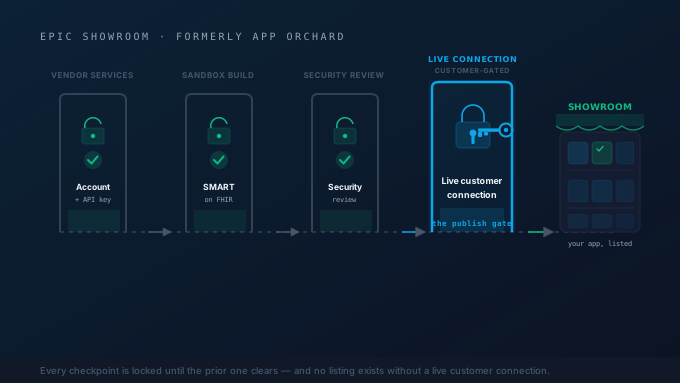
If you build healthcare software that needs to read from or write to Epic®, sooner or later you hit the same question: how do I get my app into Epic: listed, integrated, and running at customer sites? The answer used to live under a single brand, App Orchard. That brand is retired. Today the path runs through Epic Vendor Services, the open.epic sandbox, and Showroom, and the rules are stricter, more customer-gated, and less self-serve than most first-time ISVs expect.
This guide walks digital-health builders and independent software vendors (ISVs) through the real publishing journey: what each Epic program actually is, what it costs, what gates each step, and where the hard requirements live. If you are evaluating whether to take this on yourself or with an integration partner, it will also make clear which parts are engineering and which parts are customer relationships.
App Orchard Is Gone: Meet Vendor Services and Showroom
The single most common source of confusion is the branding. Epic rebrands constantly, and “App Orchard” (the name for Epic’s developer program and app marketplace until 2021) was renamed App Market and then became Epic Vendor Services: the old apporchard.epic.com address now redirects to vendorservices.epic.com. Public listings moved to Showroom, a separate marketplace Epic launched in 2024. A third term you’ll see alongside them, open.epic, is often lumped in but is a separate free resource that was never part of App Orchard.
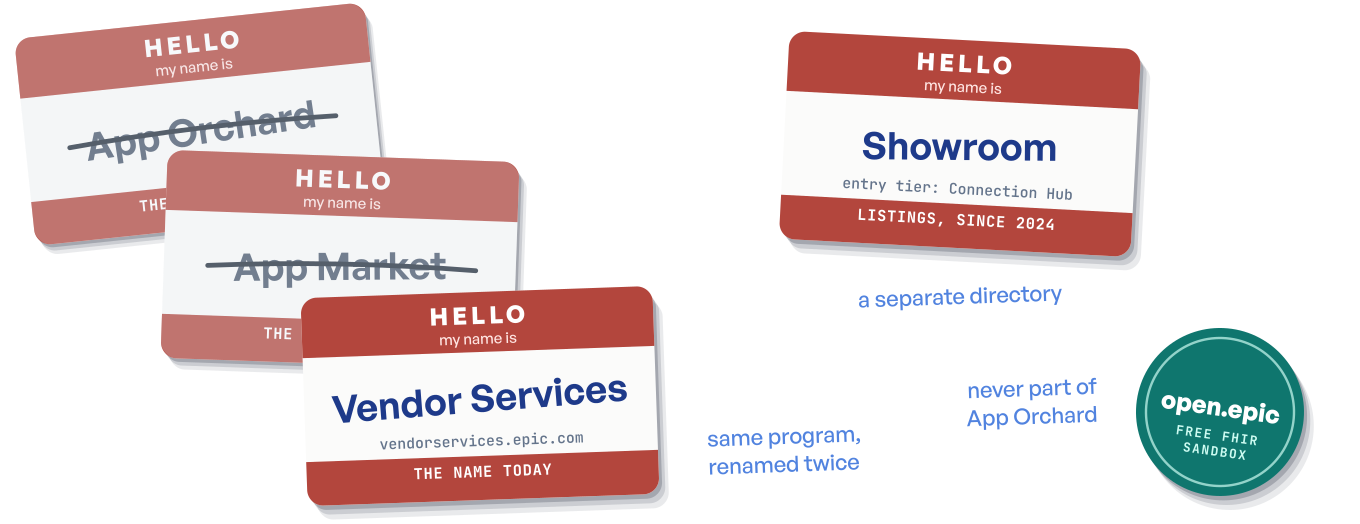
Here is the modern vocabulary, because using it correctly will save you confusion in every Epic conversation:
- Epic Vendor Services (
vendorservices.epic.com): the paid developer program. This is App Orchard’s successor: the membership that adds Epic’s direct support, deeper sandboxes, and FHIR® / SMART / CDS Hooks guidance beyond what is public. Budget roughly $1,900 per year for the developer membership. - open.epic (
open.epic.com): the free, open FHIR sandbox, where you can prototype against synthetic patient data with no membership at all. This one is separate: it was never part of App Orchard. - Showroom: the public marketplace and directory where Epic customers discover integrated products. Its entry tier is Connection Hub.
- Connection Hub: the directory of products that have a live connection at an Epic-customer site. A listing here requires that live connection, and it belongs to the product owner.
When you read older blog posts, forum threads, or even some vendor documentation still saying “App Orchard,” mentally translate it: the program is now Vendor Services, and listings live in Showroom. The free open.epic sandbox isn’t a translation of anything: it ran alongside App Orchard all along and kept its name.
The Publishing Journey, End to End
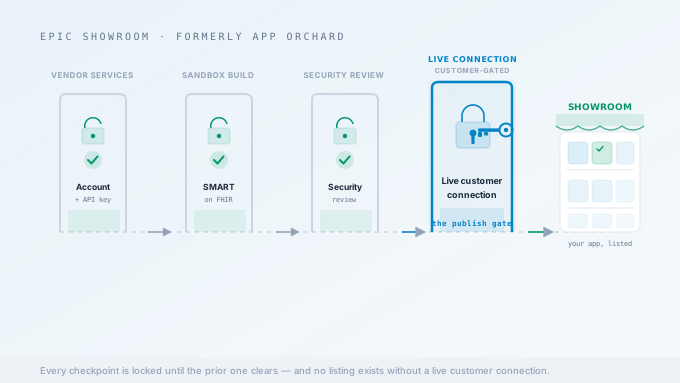
The path from “we have an idea” to “we are listed in Showroom” is a sequence of gates, not a single application form. Each stage unlocks the next, and the order matters.
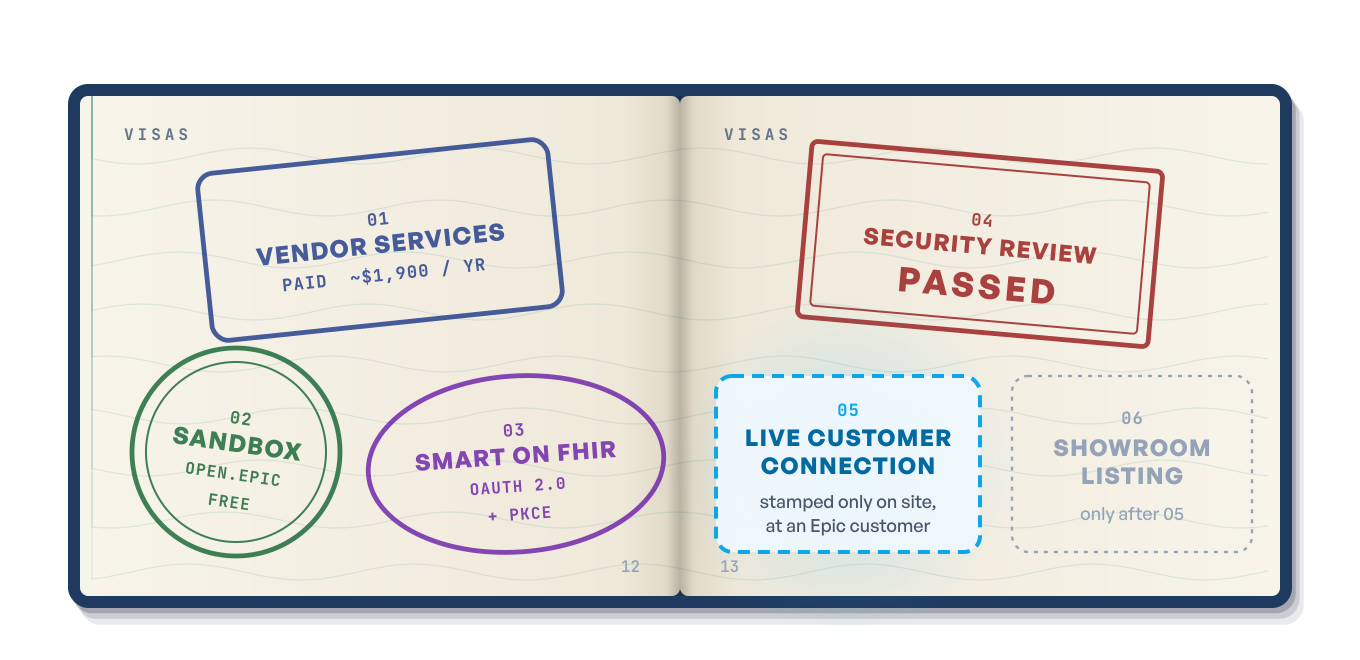
Stage 1: Join Epic Vendor Services
You start by enrolling in Epic Vendor Services. This is the paid developer membership, and for most commercial apps it is the front door to working with Epic directly: documentation, richer sandboxes, and Epic’s own support. Either way your app needs client IDs, at least one per app and per environment (sandbox versus production), and those are what Epic’s authorization server recognizes when your app initiates an OAuth flow.
You do not strictly need Vendor Services to begin (open.epic’s free, self-service path covers many standards-based apps). Teams add it when they want Epic’s direct support and the capabilities beyond the public APIs.
Stage 2: Build Against the Sandbox
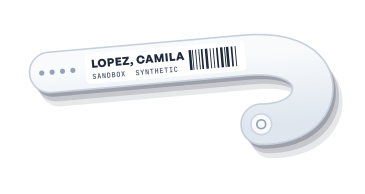
Before paying for anything, you can prototype against open.epic, Epic’s free, open FHIR sandbox. It serves synthetic patient data over a FHIR R4 API that behaves like a production Epic instance, which makes it the right place to validate your FHIR queries, your resource mappings, and your launch flow.
Once you are in Vendor Services, you also gain access to richer sandbox environments for more complete integration testing. The discipline here is simple: get as far as you possibly can in the sandbox. Every bug you find against synthetic data is a bug you are not chasing during a customer go-live.
Stage 3: Build the SMART on FHIR Integration
This is the technical heart of the work, and where a FHIR API integration partner usually earns its place. Epic’s modern app integrations are built on SMART on FHIR: a combination of FHIR (the data model) and OAuth 2.0 (the authorization protocol) that lets your app launch from inside Epic, authenticate the user, and access patient data within a scoped, consented boundary.
The non-negotiable technical gates are:
- SMART App Launch: your app must implement the SMART launch sequence, both EHR launch (the clinician opens it from inside Epic) and, where relevant, standalone launch.
- OAuth 2.0: authorization is OAuth 2.0, with PKCE for public clients. Your app requests scopes (for example
launch,openid,fhirUser,patient/Observation.read), receives an authorization code, and exchanges it for an access token. - US Core conformance: your FHIR resource handling must conform to the US Core Implementation Guide on FHIR R4. This is the profile baseline Epic and the broader US interoperability ecosystem expect.
If you want the full developer-level detail on the OAuth flow, scopes, token lifecycle, and backend services, our SMART on FHIR developer guide walks through each step. The short version: conformance is not optional, and “it works in our sandbox” is the floor, not the ceiling.
Stage 4: Pass the Security Review
When your integration is built and tested, you submit it to Epic for review before it can be activated for customers. Then each health system runs its own security and privacy review before go-live, looking at how your app handles authentication, tokens, scopes, and patient data. Apps requesting write access or sensitive scopes draw additional scrutiny, which is exactly what you would want on top of patient records.
Treat this as a deliverable, not a formality. The cleaner your scope requests, token handling, and data minimization, the smoother the review.
Stage 5: Get a Live Connection at a Customer Site
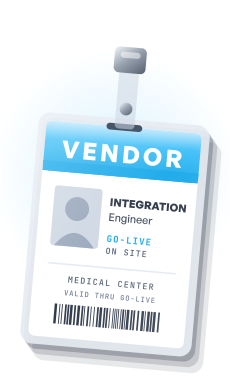
This is the gate that catches first-time ISVs by surprise. A Showroom listing requires a live connection at an actual Epic-customer site: a real, in-production integration running at a hospital or health system that uses Epic. Sandbox success does not get you listed. A signed contract with Epic does not get you listed (there is no such contract to sign). What gets you listed is a working integration in production at a real customer.
This reframes the entire effort. The technical build is something a competent engineering team (or an integration partner) can deliver on a known timeline. Landing your first Epic-using customer who will adopt your app and stand up the connection is a sales and relationship milestone, and it is the true critical path.
Stage 6: The Showroom Listing
Once a live connection exists, the product appears in Showroom’s Connection Hub directory, where Epic customers can discover it. One detail worth internalizing: the listing belongs to the product owner. If you are the ISV that owns the app, the listing is yours. An integration consultancy that built the connection for you does not “own” a listing on your behalf. More on that distinction below.
What Each Epic Program Costs and What It Gates
It helps to see the pieces itemized: what each one costs, and what it actually gates. Conflating these is the source of most planning mistakes.
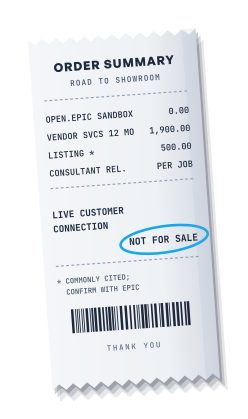
A few clarifications on the pieces on that receipt:
- open.epic is free and ungated: it exists so developers can evaluate Epic’s FHIR API without committing budget.
- Vendor Services is the one recurring cost most teams will plan around (~$1,900/year), and it gates client-ID registration and the production-grade documentation.
- Connection Hub may carry a modest listing fee (commonly cited around $500/year) on top of Vendor Services, but its real gate is the live customer connection, which is why it sits at the end of the journey.
- Consultant Relations / Application for Access is the per-engagement path used when a third party needs access for a specific customer integration. It is requested per project and per customer site, not granted once and reused everywhere.
The last line of that receipt is the part to commit to memory: there is no general Epic partner or reseller program, and no self-serve listing. You cannot buy your way onto Showroom, and you cannot list an app that has never connected to a real customer.
Showroom Membership Tiers
Within Showroom, products carry one of a few designations. Where a product lands is mostly earned or designated by Epic, not a level you pick by how deep your integration goes.
- Connection Hub: the entry tier and the public directory. This is where most ISVs building a focused SMART on FHIR app will land. It is the listing that says “this product runs at Epic customer sites.”
- Toolbox: a curated designation for products that follow Epic’s Blueprint recommended practices for their category (Toolbox Under Construction while those practices are still being written). It signals quality; it is not a tier you buy or self-select.
- Workshop: products built on new integrations co-developed with Epic, which move to Toolbox as those integrations mature.
- Cornerstone Partners: technologies integral to Epic software itself, the most deeply embedded vendors.
Most digital-health apps that launch from inside Epic and read or write a defined set of FHIR resources will land at Connection Hub, and that is exactly where they should be. Toolbox, Workshop, and Cornerstone are designations Epic confers, not levels you select, so the goal is a clean, conformant integration, not chasing a higher rung.
A Word on CDS Hooks
SMART on FHIR is the right model when your app is a destination: the clinician launches it and works inside it. But a large class of healthcare apps want to surface information or recommendations inside the clinician’s existing Epic workflow without making them leave the screen. That is what CDS Hooks is for: it lets your service inject cards (alerts, suggestions, links) at defined points in the EHR workflow, such as when a clinician opens a patient chart or signs an order.
Epic’s documentation, available through Vendor Services, covers both SMART on FHIR and CDS Hooks. If your product is a clinical decision support tool, plan for CDS Hooks alongside (or instead of) a full SMART launch. The same is true for AI services that publish CDS Hooks cards. The publishing path (Vendor Services, sandbox, security review, live connection, Showroom) is the same regardless of which integration pattern you use.
Where an Integration Partner Fits
Reading the journey end to end, you can see that it splits cleanly into two kinds of work. One kind is engineering: building a conformant SMART on FHIR integration, implementing OAuth correctly, mapping to US Core, registering client IDs, and clearing Epic’s review and each customer’s security review. The other kind is relationship: landing the Epic-using customer whose live connection unlocks the listing, and managing the per-engagement access for that site.
This is exactly the seam Saga IT works in. We are the integration partner that builds the FHIR and SMART on FHIR integration for ISVs and digital-health teams, and guides them through Vendor Services enrollment, sandbox testing, the OAuth and scope design, the reviews, go-live, and the path to a Showroom listing. We do the engineering and de-risk the process so your team can focus on the product and the customer relationship.
To be precise about the boundary, because it matters: Saga does not hold an Epic Showroom or App Orchard listing, and we are not an “Epic partner” in any badged sense. Those things belong to product owners and to Epic, respectively. What we bring is hands-on experience building Epic FHIR integrations and shepherding apps through the publishing process. The listing is yours; we help you earn it.
Putting It Together
If you remember nothing else, remember these five points:
- App Orchard is retired. Its developer program is now Vendor Services, and listings live in Showroom. The free open.epic sandbox is a separate resource.
- The core cost is the Vendor Services membership (~$1,900/year), on top of the engineering effort to build a conformant integration. Prototype for free on open.epic first.
- The technical gates are SMART on FHIR, OAuth 2.0, and US Core conformance. Build and test them yourself; Epic reviews your submission, and each customer reviews security before go-live.
- A live connection at a real Epic-customer site is the hard gate for a Showroom listing. Sandbox success is necessary but not sufficient.
- Everything is customer-gated. There is no partner program, no reseller program, and no self-serve listing.
For the deeper technical material around this path, see our SMART on FHIR developer guide and our Epic FHIR and HL7 v2 reference, which cover the FHIR APIs, launch contexts, and integration patterns in more depth.
How Saga IT Can Help
Saga IT builds Epic FHIR integrations for ISVs and digital-health companies that need their app to launch from, read from, or write to Epic. We can help you:
- Design and build the SMART on FHIR integration: OAuth 2.0 with PKCE, scope design, US Core conformance, and EHR launch contexts.
- Navigate Epic Vendor Services: membership setup, client-ID registration, sandbox testing, and the security and functional review.
- Plan the path to a live connection, so the integration is production-ready the moment your first Epic-using customer is.
- Support the Showroom listing process: guiding you, as the product owner, through Connection Hub once a live connection exists.
Explore our Epic integration services, our FHIR API integration practice, and our broader healthcare app development capabilities to see how we work.
Contact Saga IT to talk through your Epic integration and your path onto Showroom.